Quick answer
The short version
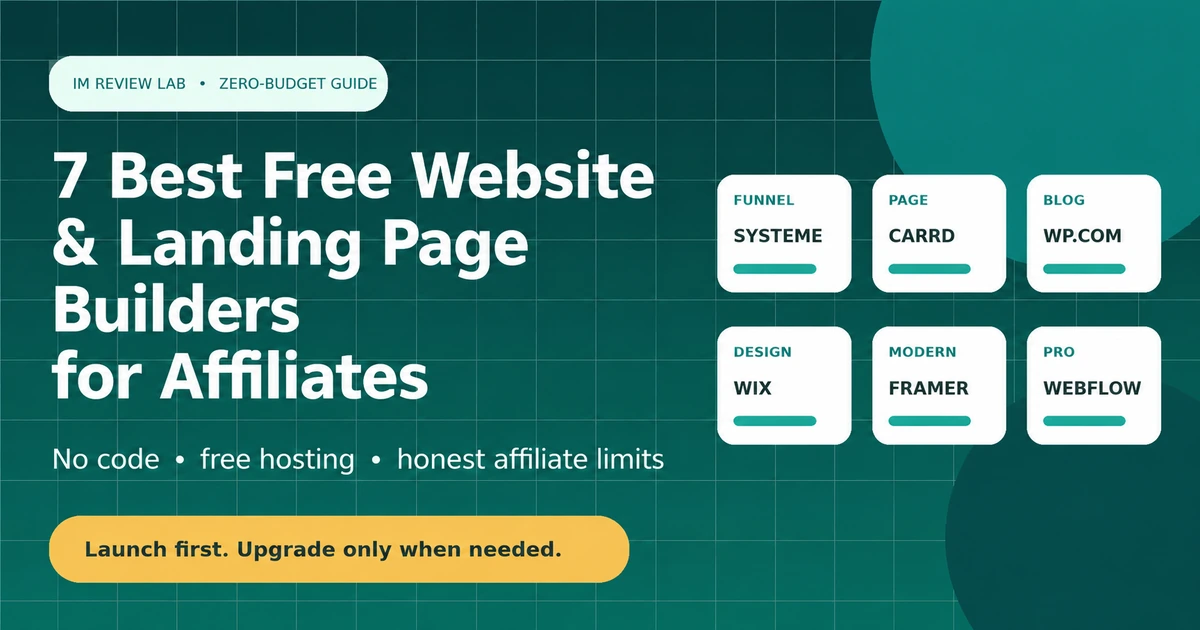
For most affiliate marketers, Systeme.io is the strongest free starting point — it bundles a page builder, email capture and a real free-plan custom domain in one place. Carrd is the better pick for a single landing page or link-in-bio site specifically. WordPress.com, Wix and Google Sites round out the comparison, each with a different tradeoff on ads, branding and page limits. Every one of these is genuinely free indefinitely — the real decision is which limitation you can live with, not which trial expires soonest.
Side-by-side comparison
The seven free builders compared
Free-plan limits and pricing checked July 31, 2026. Platforms adjust these often — confirm current limits before you build around them.
| Tool | Best for | Custom domain on free plan? | Ads/branding on free plan? | Entry paid price |
|---|---|---|---|---|
| Systeme.io | Funnels + email + affiliate program in one | Yes | No forced ads | Startup from ~$17-27/month |
| WordPress.com | A real blog structure, hosted for you | No | Yes — WordPress.com ads shown | Business plan from ~$25/month for plugins |
| Carrd | A single landing page or link-in-bio | No | Carrd branding shown | Pro Lite from $9/year |
| Wix | Drag-and-drop multi-page sites | No | Yes — Wix ad banner shown | Light plan from ~$17-24/month |
| Google Sites | The simplest possible free page, no ads | Yes | No ads, no branding | No paid tier exists |
| Framer | Modern, animated design with a real CMS | No | Framer badge shown | Basic from ~$10/month |
| Webflow | Learning professional web structure | No | Webflow badge shown; capped at 2 pages | Basic from $15/month |
How this list was built
Selection criteria
Each builder had to have a free tier that runs indefinitely, not a time-limited trial, and had to be a genuine website or landing-page tool rather than a single-purpose link-in-bio product. The comparison focuses on three things that matter most for an affiliate site specifically: whether a custom domain is possible without paying, whether the platform forces its own ads or branding onto your pages, and whether the structure supports more than one page.
Read this before you pick one
The branding-and-domain tradeoff
Every builder on this list is free, but "free" comes with one of two costs baked in: your visitors see a branded subdomain and/or the platform's own ads, or you're limited to a single page. Only Systeme.io and Google Sites let you connect a domain you already own without paying anything extra — everyone else gates that behind a paid tier.
Branded subdomain
yoursite.wixsite.com or yoursite.carrd.co signals "free plan" to visitors and can affect how much a new domain gets trusted.
Platform ads
Wix and WordPress.com both show their own ads on free-tier sites — not yours, and not removable without upgrading.
Page limits
Carrd is one page by design at every tier below Pro Standard's multi-site allowance; it was never meant to be a blog.
None of this means skip the free tier — it means pick the tradeoff that fits what you're actually building, rather than assuming "free" means "unrestricted."
#1 · All-in-one
1. Systeme.io — Best free all-in-one for affiliates
Systeme.io's free plan covers 2,000 contacts, three sales funnels, one course, one blog and — notably — one custom domain, with unlimited emails and no transaction fees. That combination of page building, email capture and domain support in a single free tier is unusual; most competitors gate at least one of those behind a paid plan.
The tradeoff is funnel and course count: three funnels and one course is genuinely limiting once you're running more than a single offer, and that's where the Startup plan comes in.
Pros
- Free custom domain support — unusual among free builders
- Bundles funnels, email and its own affiliate-program tools
- No credit card required, no expiration
Cons
- Only 3 funnels and 1 course on the free tier
- Less design flexibility than a dedicated page builder like Wix
Best for: Anyone who wants funnels, email capture and their own domain without stitching three tools together.
Skip it when: You need a traditional multi-page content blog with many articles — WordPress.org, covered in the paid stack guide, fits that structure better.
Alternative: See our full Systeme.io review for the complete feature and pricing breakdown.
#2 · Hosted blog
2. WordPress.com — Best free hosted blog structure
WordPress.com is a hosted service, not the same product as the self-hosted WordPress.org software covered in the paid stack guide — this is one of the most common points of confusion for beginners researching "WordPress" as an option. The free tier gives you a real blog with categories, tags and multiple pages, hosted for you with no server to manage, but it displays WordPress.com's own ads and blocks plugin installation until the Business plan.
For a content-heavy affiliate site with dozens of articles, the free tier's structure is genuinely closer to what you need than a one-page builder — the ads and missing plugin access are the real cost of that.
Pros
- Real multi-page blog structure, not a single-page tool
- No server or hosting to manage yourself
- Familiar WordPress editing experience
Cons
- WordPress.com's own ads appear on free-tier sites
- No custom domain without a paid plan
- No plugin installation until the Business tier
Best for: A real blog structure without wanting to manage hosting yourself.
Skip it when: You want plugin flexibility and no ads from day one — self-hosted WordPress.org with independent hosting solves both, at the cost of managing hosting yourself.
Alternative: WordPress.org, covered in the paid stack guide, for full control with no ads.
#3 · One-page sites
3. Carrd — Best free one-page landing site
Carrd's constraint is the feature: it does one page, extremely well, extremely fast. The free tier covers up to three complete one-page sites on a carrd.co subdomain, which is genuinely enough for a link-in-bio page, a simple pre-sell page for a single offer, or a personal landing page.
It is deliberately not a fit for a content-based affiliate site — there's no blog structure at any tier, paid or free. If your plan involves publishing articles, Carrd is the wrong tool regardless of budget.
Pros
- Fastest, simplest builder on this list
- Free tier covers 3 complete sites
- Cheapest paid tier of any option here, at $9/year
Cons
- One page per site, by design, at every tier
- No blog or multi-page content structure ever
- Custom domain requires Pro Standard, not the cheaper Pro Lite
Best for: A single pre-sell page, link-in-bio, or simple offer page — not a content site.
Skip it when: You're planning to publish articles or build a multi-page affiliate site — every other tool on this list handles that better.
Alternative: Systeme.io, if you want funnel pages plus email capture rather than a single static page.
#4 · Drag-and-drop
4. Wix — Best free drag-and-drop editor
Wix's free plan gives full access to its drag-and-drop editor and template library — genuinely more design flexibility than Carrd or Google Sites offer. The cost is a persistent Wix ad banner anchored to the top of every page, a branded wixsite.com subdomain, and a 500MB storage cap that fills up faster than it sounds once you're using template images.
Some sources also note Google Analytics installation is restricted on the free tier specifically — worth confirming directly if measurement matters to your workflow, since that's a meaningful gap for an affiliate site trying to track conversions.
Pros
- Most flexible visual editor of the free options
- Large template library
- No time limit on the free plan
Cons
- Wix ad banner shown on every free-tier page
- No custom domain without a paid plan
- 500MB storage cap is tight for image-heavy sites
Best for: Testing a design-heavy site concept before committing to a paid plan.
Skip it when: A custom domain and no ads matter from day one — Systeme.io gets you both for free; Wix doesn't.
Alternative: Systeme.io, for a free custom domain without an ad banner.
#5 · Simplest option
5. Google Sites — Best genuinely ad-free free option
Google Sites is the plainest option on this list, and also the most honestly free: no ads, no platform branding, and you can point a domain you already own at it without paying Google anything extra. It supports multiple pages, which puts it ahead of Carrd for a small content site.
The design ceiling is low — templates are basic and there's no equivalent to Wix's visual flexibility or Systeme.io's funnel tools. Treat it as a genuinely free fallback when ads and branding matter more than polish, not a long-term home for a serious affiliate site.
Pros
- No ads or branding, ever, on any tier
- Free custom domain support
- Supports multiple pages
Cons
- Very limited design flexibility
- No ecommerce, funnel or email-capture tools built in
- Not built for a serious content or affiliate business long-term
Best for: A genuinely $0, ad-free placeholder site while you decide on a real platform.
Skip it when: You need funnels, email capture, or real design control — every other tool on this list offers more.
Alternative: Systeme.io, for similar $0 domain support with far more functionality.
#6 · Design-led
6. Framer — Best free option for a polished, modern design
Framer's free tier is more generous on raw capability than it first appears — up to 1,000 pages and 10 CMS collections, which covers a genuine multi-page content site, not just a landing page. The editor produces noticeably more polished, animated designs than Wix or Google Sites out of the box.
The catch is branding and portability: your site lives on a .framer.website subdomain with a permanent badge, there's no custom domain on Free, and Framer doesn't support exporting your design to run elsewhere — if you leave, you rebuild from scratch.
Pros
- Most visually polished free option here
- Real CMS included even on the free tier
- Up to 1,000 pages — genuinely multi-page capable
Cons
- No custom domain without upgrading
- Permanent branding badge on free-tier sites
- No code export — you can't take your design elsewhere
Best for: A visually polished portfolio, tool directory, or modern landing page where design quality matters most.
Skip it when: You want to own your design independent of the platform, or need a free custom domain — Systeme.io and Google Sites both offer that.
Alternative: Webflow, for deeper structural/CMS control at a similar free-tier tradeoff.
#7 · Learning tool
7. Webflow — Best free option for learning professional web design
Webflow's free Starter plan is capped hard at two published pages with no custom domain — genuinely useful for learning the platform or prototyping a design, not for running a live multi-page affiliate site. Where it earns a place on this list is as a learning tool: Webflow teaches real HTML/CSS structure underneath its visual editor in a way that transfers to other platforms, unlike more abstracted builders.
If the plan is to eventually run a professional, highly customized site and you're willing to invest time learning proper web structure now, Webflow free is a reasonable place to start experimenting — just don't expect to publish a real business site on it without paying.
Pros
- Teaches transferable, structured web-design skills
- Professional-grade visual editor
- No credit card required to start
Cons
- Hard 2-page cap on the free tier — the tightest limit on this list
- No custom domain without a paid plan
- Steepest learning curve of any tool covered here
Best for: Learning professional web structure while prototyping, before committing budget to a paid plan.
Skip it when: You need to publish a real, multi-page site today — the 2-page cap makes Free impractical for that.
Alternative: Framer, for a more generous free page/CMS allowance with an easier learning curve.